

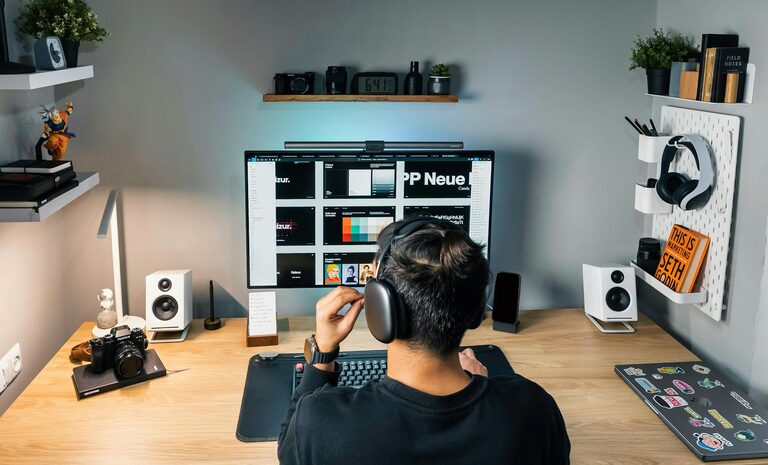
Creating a home office that is both productive and comfortable can significantly improve your work-from-home experience. Whether you’re new to remote work or looking to upgrade your current space, a well-thought-out setup helps you stay focused, reduces stress, and supports your physical well-being. In this post, we’ll cover essential tips to help you craft the perfect home office environment.
Choose the Right Space
Pick a Dedicated Area
Having a designated workspace signals to your mind that it’s time to focus. Choose a quiet corner or a spare room where you can work without frequent interruptions. Avoid places with heavy foot traffic or distractions.
Consider Natural Light
Position your desk near a window when possible. Natural light boosts mood and energy levels, making your workday more enjoyable. Just be mindful of glare on your computer screen—adjust blinds or use a monitor filter if needed.
Invest in Ergonomic Furniture
Comfortable Chair
A good office chair supports your back, promotes good posture, and prevents discomfort during long hours. Look for chairs with adjustable height, lumbar support, and breathable fabric.
Suitable Desk
Your desk should be at the right height — generally around elbow level when seated — allowing your arms to rest comfortably. If space allows, consider a sit-stand desk to alternate between sitting and standing.
Organize Your Workspace
Declutter Regularly
A tidy workspace reduces distractions and increases focus. Keep only essential items on your desk and store everything else in drawers or shelves.
Use Storage Solutions
Shelving units, drawer organizers, and file cabinets help keep your office supplies and documents in order. Label containers to find things quickly and avoid wasting time searching.
Optimize Technology and Tools
Reliable Internet and Equipment
Ensure your internet connection is stable and fast enough for video calls and cloud-based work. Use quality headphones and microphones if you attend frequent virtual meetings.
Invest in a Good Monitor and Keyboard
A larger monitor or dual screens can improve productivity by giving you more screen space. Ergonomic keyboards and mice reduce strain on your wrists.
Manage Lighting Effectively
Combine Ambient and Task Lighting
Ambient lighting softly illuminates the entire room, while task lighting focuses on your work surface. Use desk lamps with adjustable brightness to avoid eye strain.
Avoid Harsh Overhead Lights
Bright overhead lights can cause glare and fatigue. Instead, choose softer bulbs or use lampshades to diffuse light.
Personalize Your Space
Add Plants
Indoor plants not only beautify your office but also improve air quality and reduce stress. Easy-care plants like succulents or pothos work well indoors.
Include Inspirational Items
Photos, artwork, or motivational quotes can keep you inspired. Be careful not to clutter your space; select a few meaningful items.
Establish Healthy Work Habits
Take Regular Breaks
Use techniques like the Pomodoro method to work in focused intervals with short breaks in between. Stretch, walk around, and relax your eyes periodically.
Set Boundaries
Define your work hours clearly to avoid burnout. When your day ends, shut down your computer and step away from your workspace.
Control Noise and Distractions
Use Noise-Cancelling Headphones
If you work in a noisy environment, noise-cancelling headphones can help block out background sounds and improve concentration.
Add Soundproofing Elements
Rugs, curtains, and upholstered furniture absorb sound and reduce echo. If possible, install weather stripping or door sweeps to minimize noise from adjacent rooms.
Improve Air Quality and Comfort
Ventilation
Good airflow is essential for comfort and alertness. Open windows when weather permits or use an air purifier to maintain clean air.
Temperature Control
Keep your workspace at a comfortable temperature. Use fans, heaters, or air conditioning to avoid distractions caused by being too hot or cold.
—
Setting up a home office that supports both productivity and comfort takes careful planning and adjustment. By focusing on the right location, ergonomic furniture, organization, and personalized touches, you can create a workspace that makes your workdays more enjoyable and efficient. Remember, your home office should adapt to your needs—feel free to experiment and make changes until you find the setup that works best for you.