

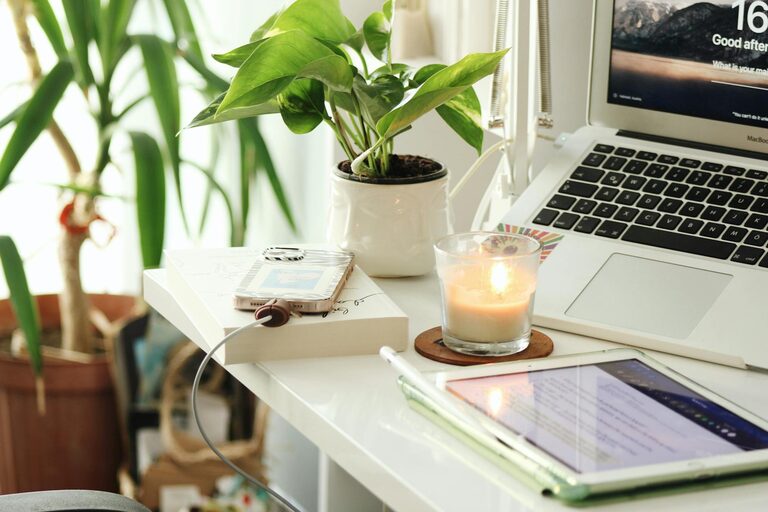
Creating a home office that is both cozy and productive is essential as more people work remotely or spend considerable time on personal projects. When your workspace is inviting and well-organized, it’s easier to focus, stay motivated, and maintain a healthy work-life balance. Here are some thoughtful tips to help you design a home office space that supports both comfort and efficiency.
Choose the Right Location
The first step in setting up a home office is selecting a suitable location. Consider a space that:
– Has natural light: Natural light boosts mood and energy levels. Ideally, position your desk near a window.
– Is quiet: Pick a spot away from household noise or distractions to help maintain focus.
– Has enough room: Ensure there’s enough space for your desk, chair, and storage without feeling cramped.
– Offers privacy: If you can, choose a separate room or a corner that can be closed off to separate work from home life.
Invest in Comfortable and Functional Furniture
Comfort is key to productivity. Choose furniture that supports your body and promotes good posture:
– Chair: Select an adjustable ergonomic chair that offers proper back support.
– Desk: Find a desk with enough surface area to hold your computer, supplies, and any other tools you need.
– Alternate options: If possible, consider a standing desk or a sit-stand converter to switch positions throughout the day.
Optimize Lighting
Proper lighting reduces eye strain and increases alertness:
– Use natural light: Position your workspace to take advantage of daylight.
– Add task lighting: A desk lamp with adjustable brightness can help for focused work.
– Choose warm or neutral light: Avoid harsh fluorescent lights which can be tiring; warmer tones create a cozy atmosphere.
Keep It Organized
A clutter-free space can improve concentration and reduce stress:
– Use storage solutions: Shelves, drawers, bins, and organizers keep supplies tidy and accessible.
– Limit distractions: Keep non-work-related items out of sight.
– Manage cables: Use clips or sleeves to avoid tangled cords and a messy desk.
Personalize Your Space
Adding personal touches makes your office feel welcoming and inspires creativity:
– Add plants: Indoor plants improve air quality and add natural beauty.
– Include art or photos: Display images or artwork that motivate you or make you happy.
– Choose calming colors: Soft, neutral colors help create a peaceful environment, while pops of color can energize the space.
Establish Technology Essentials
Ensure your office is tech-ready for efficient working:
– Reliable internet: Fast and stable Wi-Fi is critical for virtual meetings and online tasks.
– Proper equipment: Invest in a good-quality monitor, keyboard, mouse, and headset as needed.
– Cable management: Keep tech cables neat and out of the way to avoid distraction and accidents.
Create Boundaries and Routines
Maintaining boundaries helps balance work and home life:
– Set work hours: Define specific start and end times for your workday.
– Designate office use: Use the space only for work to train your mind to be productive there.
– Take breaks: Step away from your desk regularly to refresh your mind and body.
Incorporate Comfort Elements
Making your workspace cozy can improve your mood and reduce stress:
– Soft textiles: Add a cushion or cozy blanket to your chair.
– Temperature control: Use a fan or heater to keep the temperature comfortable.
– Scent and sound: A subtle diffuser with your favorite calming scent or gentle background music can enhance relaxation.
—
Designing a home office space that blends coziness with productivity doesn’t require a complete overhaul. By paying attention to lighting, furniture, organization, and personalization, you can create an environment that helps you feel comfortable while getting your best work done. Small changes can make a big difference in how you experience your workday at home.