

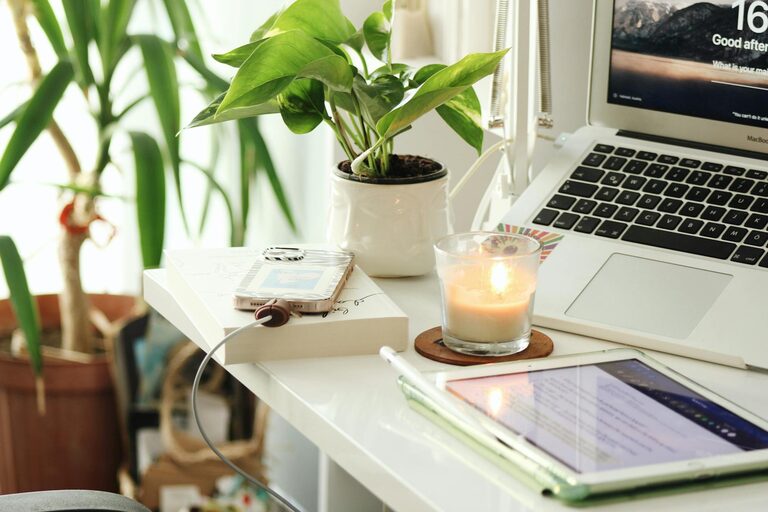
Creating a home workspace that is both cozy and productive can make a significant difference in your work-from-home experience. Whether you’re working remotely full-time or occasionally, setting up a dedicated area that inspires focus and comfort helps boost your efficiency and overall well-being. In this post, we’ll explore practical tips to design a workspace that feels inviting while supporting your productivity.
Why a Cozy Workspace Matters
A cozy workspace is more than just aesthetics. When your work area feels comfortable, you’re more likely to enjoy your tasks and remain focused without distractions. Comfort reduces stress and fatigue, which helps maintain energy throughout the day. Plus, a well-organized and personalized space can motivate you to stay on track and foster creativity.
Choosing the Right Location
Find Your Dedicated Space
Ideally, choose a quiet corner or a separate room for your workspace. A dedicated spot helps your mind associate the area with work, which can improve concentration and minimize interruptions. Avoid spaces with heavy foot traffic or noisy environments if possible.
Consider Natural Light
Natural light has been shown to enhance mood and productivity. Position your desk near a window to maximize daylight. If natural light is limited, invest in a good quality desk lamp with adjustable brightness to reduce eye strain.
Selecting Comfortable and Functional Furniture
Ergonomic Chair and Desk
Invest in an ergonomic chair that supports your posture, especially if you spend long hours sitting. Adjustable chairs with lumbar support can prevent back pain. Your desk should be at a height where your arms rest comfortably when typing. Standing desks or adjustable sit-stand options also encourage movement throughout the day.
Desk Size and Storage
Choose a desk large enough to accommodate your computer, notebooks, and any tools you regularly use. Incorporate storage solutions like drawers, shelves, or organizers to keep supplies within reach, reducing clutter and distractions.
Organizing for Efficiency
Minimize Clutter
A tidy workspace allows you to focus and saves time looking for materials. Use cable management tools to keep cords neat and avoid tangled messes. Keep only essential items on your desk to maintain a clean surface.
Use Organizational Tools
Trays, file holders, and desk organizers help categorize papers and supplies. Digital organization tools like task managers or note-taking apps can further streamline your workflow.
Personalizing Your Workspace
Add Comfort and Style
Include elements that make your space feel cozy, such as a soft rug, throw blanket, or cushions for your chair. Plants can add life to the space and improve air quality. Choose colors and decorations that inspire you without becoming distracting.
Incorporate Personal Touches
Photos, art prints, or souvenirs personalize the area, making it uniquely yours. These details can boost your mood and make the time spent working more enjoyable.
Managing Noise and Distractions
Use Noise Control Solutions
If your workspace is noisy, consider noise-canceling headphones or white noise machines to block distractions. Sound-absorbing panels or rugs also help reduce echo and background noise.
Set Boundaries
Communicate your work hours and workspace boundaries to family or housemates to minimize interruptions. Establish signals or signs to indicate when you’re busy.
Optimizing Lighting and Screen Setup
Proper Lighting Setup
Besides natural light, balance your workspace with ambient and task lighting. Avoid glare on your computer screen by adjusting blinds or repositioning lights.
Ergonomic Screen Position
Place your monitor at eye level, about an arm’s length away. This prevents neck and eye strain. Use monitor stands or laptop risers if needed.
Encouraging Movement and Breaks
Schedule Regular Breaks
Taking short breaks promotes productivity and well-being. Use reminders to stand, stretch, or take a brief walk.
Incorporate Movement
If possible, add a standing desk or balance board. Simple exercises or stretches at your desk improve circulation and reduce discomfort.
Keeping It Clean and Fresh
Regular Cleaning Routine
Dust and clean your workspace regularly to maintain a healthy environment. Clean surfaces, keyboards, and screens to prevent buildup.
Air Quality
Ensure proper ventilation. Use air purifiers or keep windows open when possible to maintain fresh air.
—
By thoughtfully designing your home workspace to blend comfort with functionality, you can create an environment that supports your productivity while making workdays more pleasant. Experiment with these tips to find what works best for your needs and enjoy the benefits of a cozy, efficient space.