

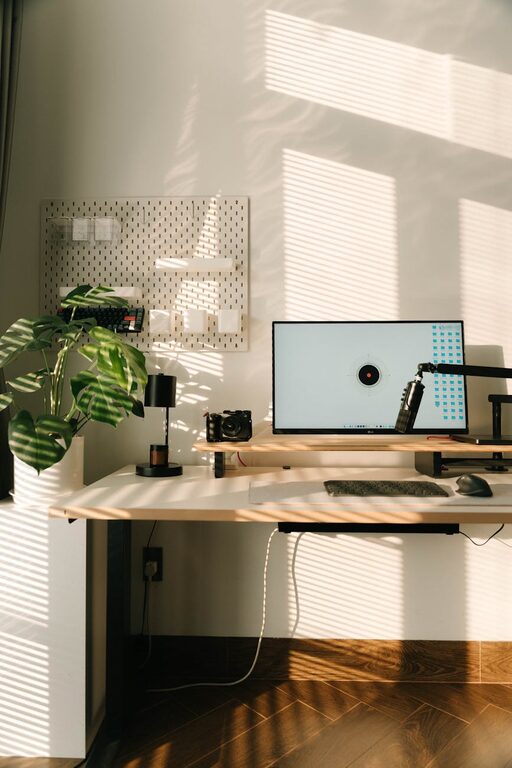
Working from home has become a norm for many, bringing both convenience and new challenges. One key to success is having a dedicated space that supports focus, creativity, and well-being. A calming and productive home office environment can help reduce stress and increase efficiency. Here are some practical tips to turn your workspace into a place where you can do your best work comfortably.
Choose the Right Space
Find a Quiet Area
Start by selecting a spot in your home where you can minimize distractions. Ideally, it should be away from noisy areas like the kitchen or living room. If space is limited, even a cozy corner with a screen or divider can create a sense of separation.
Consider Natural Light
Natural light is proven to improve mood and alertness. Position your desk near a window if possible, but be mindful of glare on screens. Use light curtains to diffuse harsh sunlight.
Invest in Comfortable Furniture
Ergonomic Chair and Desk
A comfortable chair with good lumbar support is essential to prevent back pain during long work hours. Adjustable desks or sit-stand converters allow you to change positions throughout the day, which benefits your posture and circulation.
Keep Essentials Within Reach
Organize your desk so that items you use frequently, such as pens, notebooks, or your phone, are easy to access. This reduces unnecessary movement and keeps you focused.
Organize and Declutter
Minimalist Approach
A clutter-free space helps your mind stay clear and reduces feelings of overwhelm. Keep only items that you need or that inspire you on your desk and in your immediate area.
Use Storage Solutions
Shelves, drawers, and boxes can keep supplies and documents neatly stored. Labeling containers helps quickly find things without creating mess.
Incorporate Calming Colors and Decor
Choose Soothing Colors
Soft, neutral colors like light blues, greens, or grays create a peaceful atmosphere. Avoid overly bright or intense colors that may cause distraction or stress.
Add Personal Touches Sparingly
Photos, plants, or artwork that bring you joy can boost morale. Keep decorations minimal so the environment remains calm and uncluttered.
Manage Technology Wisely
Set Up Efficient Equipment
Ensure your computer, printer, and other devices are reliable and properly connected to avoid frustration. Use a good-quality headset for calls if needed.
Limit Digital Distractions
Turn off non-essential notifications during work hours and use apps that block distracting websites. Having dedicated times to check emails or messages helps maintain focus.
Create a Routine and Boundaries
Establish Work Hours
Define your working schedule and stick to it. Consistent routines help train your brain to switch into work mode.
Separate Work and Relaxation Zones
If possible, avoid working from your bed or couch. Having a clear boundary between work areas and relaxing spaces supports mental well-being.
Enhance Air Quality and Comfort
Ventilation and Fresh Air
Good air circulation keeps you alert and reduces fatigue. Open windows when weather permits or use an air purifier.
Control Temperature and Lighting
Adjust blinds, lamps, or fans to create a comfortable environment. Too hot or too cold conditions can decrease concentration.
Use Sound to Your Advantage
Background Music or White Noise
For some, soft instrumental music or white noise can mask distracting sounds and improve focus. Experiment with what works best for you.
Noise-Canceling Accessories
If your workspace is near noisy areas, consider noise-canceling headphones or earplugs to maintain concentration.
—
Creating a home office that is both calming and productive doesn’t require a major overhaul. Small adjustments, thoughtful organization, and attention to comfort can make a big difference in how you feel and work. Take the time to design a space that supports your needs and preferences, and enjoy the benefits of a more balanced work-from-home experience.